Printara Studio

AI 3MF Generator

Printara paints a textured 3D model into a multi-colour 3MF for Bambu Studio and OrcaSlicer: 1 to 16 filaments, every triangle painted, free and computed on your device.

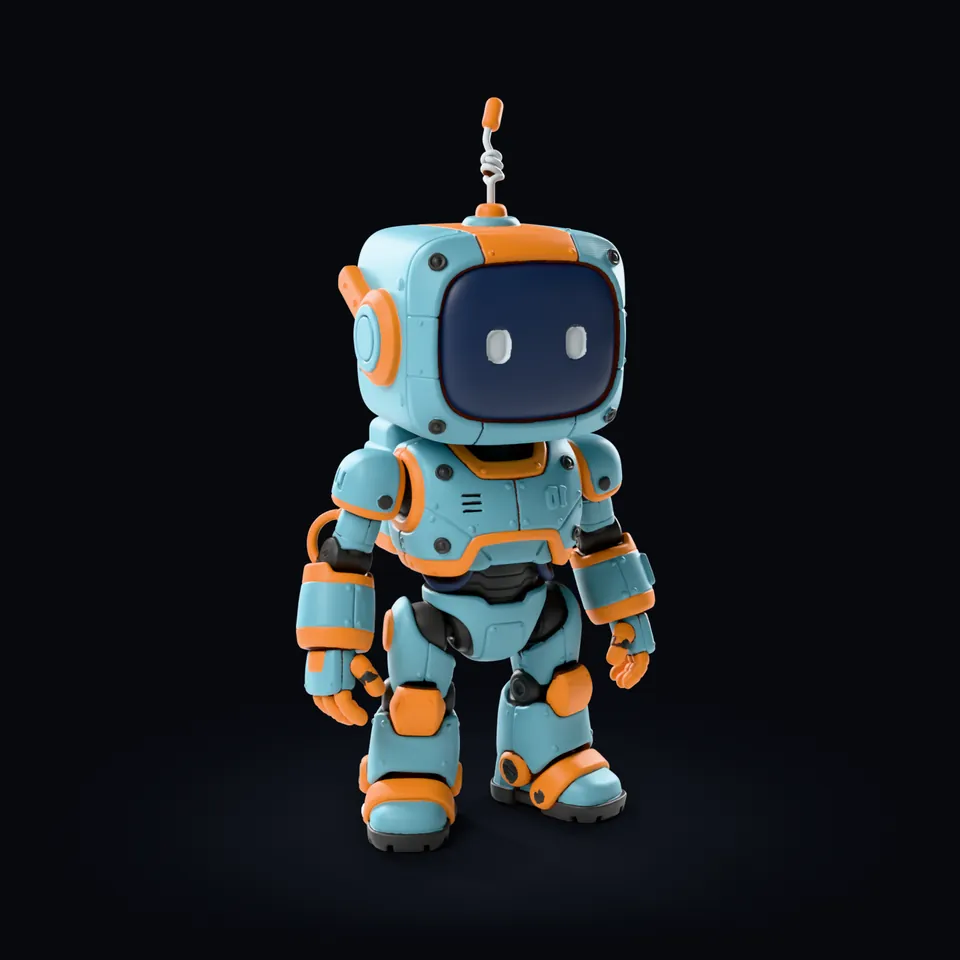
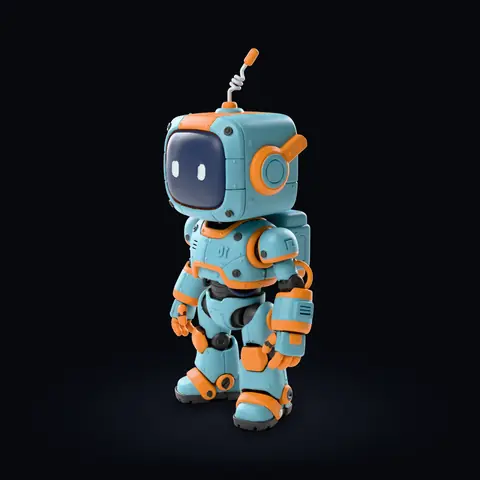
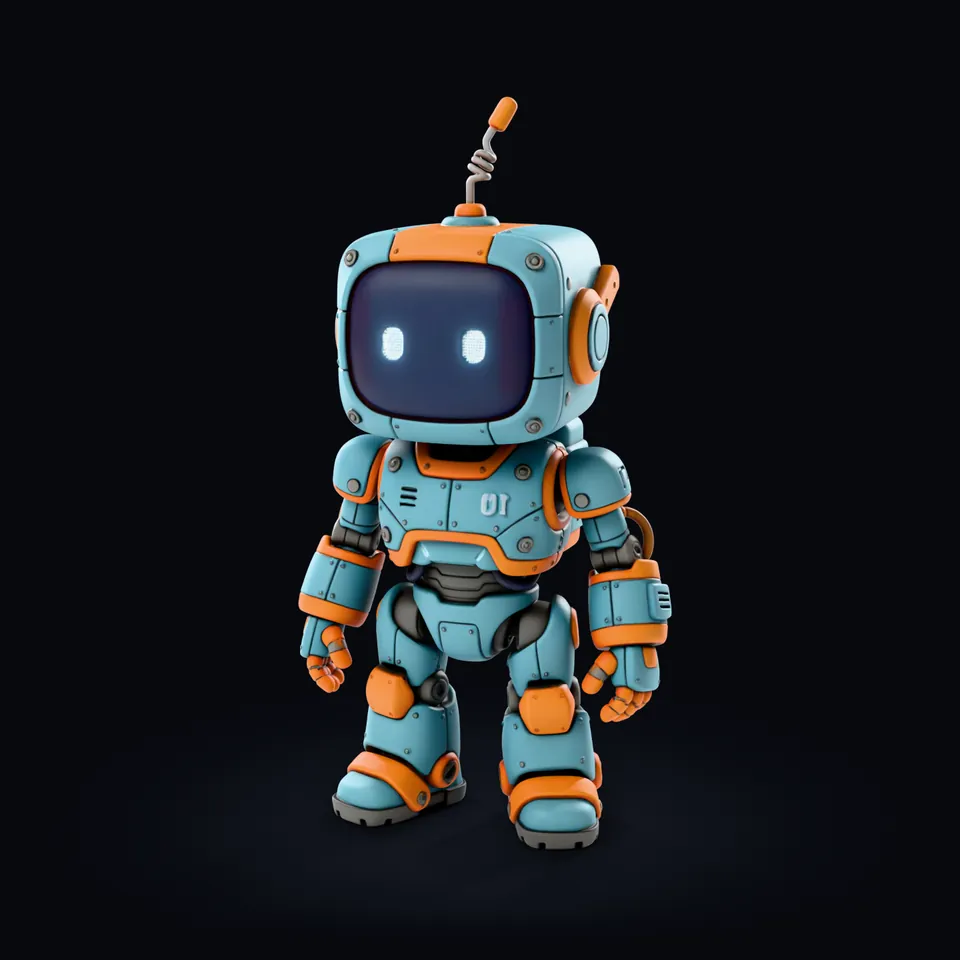
The robot as a textured 3D model, before it becomes a multi-colour 3MF: a teal and orange robot with a screen face and an antenna

Drag to rotateSwipe to rotate

Make a multi-colour 3MFShows the textured model and the 3MF side by side on the stage, with a divider you can move. Press again to go back to the 3MF.

Generate Multi-Color is free. Making a textured model uses credits, and you see the cost before you press.

  • 1 to 16 filament colours
  • Free, on your device
  • Usually under a minute
  • Bambu Studio and OrcaSlicer

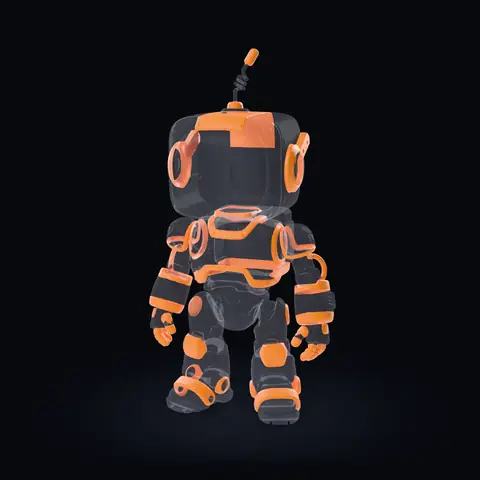
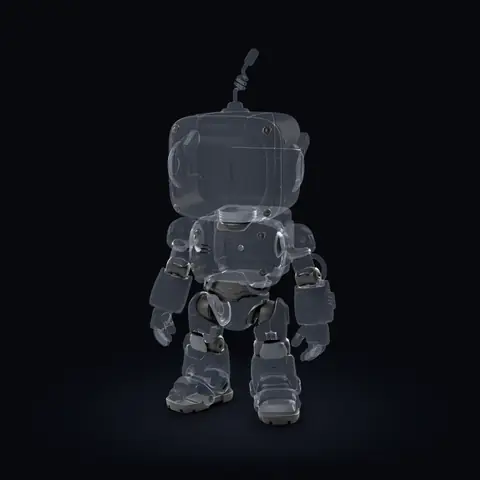
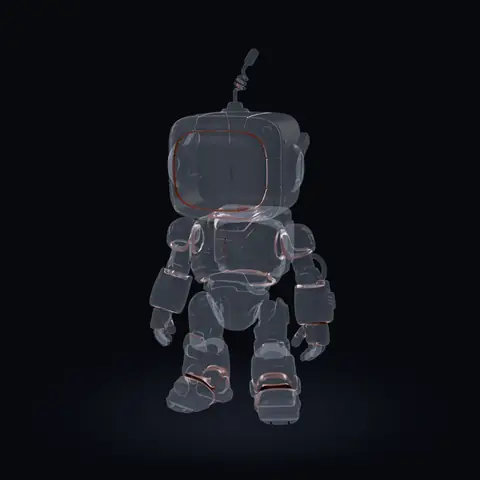
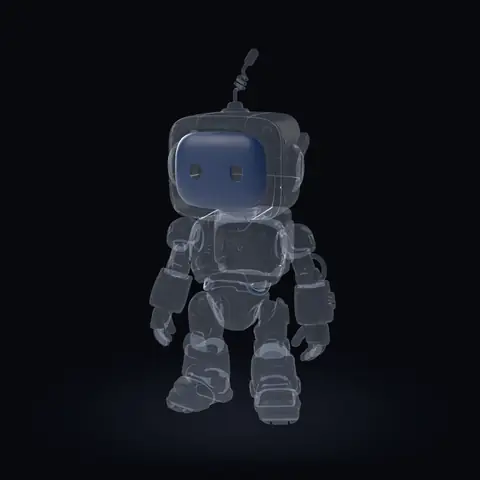
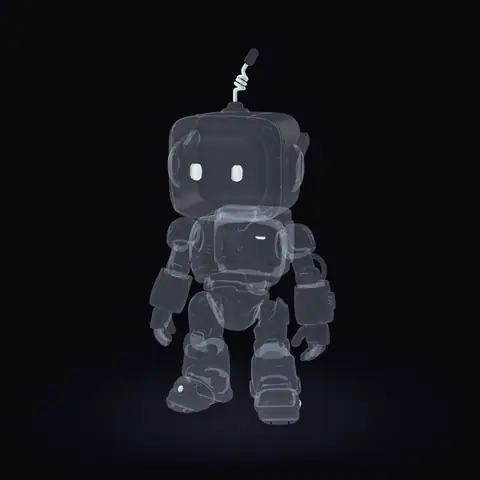
The robot is Printara's own figure, a textured model made into a 6 colour 3MF with Clean print and Ultra detail at 60 mm. Every frame is a render of that file, not a photo of a print.

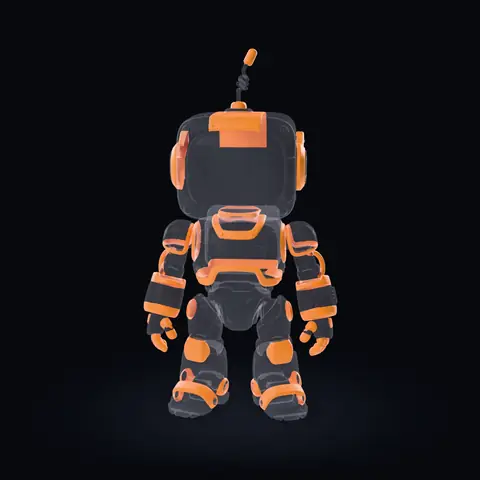
The 6 filament slots of this 3MF

  1. All 6 slotsThe whole 3MF
  2. Slot 1#669EAC49.7 %: Body, head and limbs, 49.7 % of the surface
  3. Slot 2#E5822D20.6 %: Trim, ear rings, hands and the antenna tip, 20.6 % of the surface
  4. Slot 3#39393818.9 %: Hips, joints and soles, 18.9 % of the surface
  5. Slot 4#5824135.7 %: Thin rims around the screen and panel seams, 5.7 % of the surface
  6. Slot 5#2A36504.3 %: The screen, 4.3 % of the surface
  7. Slot 6#BDC5C80.8 %: Eyes and the antenna coil, 0.8 % of the surface

Pick a filament: only its slot stays solid.Tap a filament: only its slot stays solid.

The robot is Printara's own figure, a textured model made into a 6 colour 3MF with Clean print and Ultra detail at 60 mm. Every frame is a render of that file, not a photo of a print.

Before you start

What you need

A textured 3D model, a printer that can change filament, and a slicer that reads painted 3MF files. Printara makes the model and the 3MF; your slicer and printer do the rest.

  • A textured 3D model

    A model with a colour texture. Generate one in Printara with Textures switched on, from a photo, an image, several views or a sentence, or give a grey model its colour in the Texture tab. Without a texture the Multi-Color section stays locked.

    AI 3D Generator
  • A printer that changes filament

    An AMS or another filament changer. One AMS holds 4 spools, so the colour slider in the Studio marks 4 for one unit and 8 for two; a 3MF can use up to 16. Every extra colour adds filament changes and purge waste.

  • Bambu Studio or OrcaSlicer

    The file is a Bambu Studio 3MF project: one object, the filament of every triangle and your list of colours. Open it, map the filaments to your slots, check the painted preview and slice.

    How 3MF colours reach an AMS

How it works

How the AI 3MF generator works

Four steps in the Export tab of Printara Studio, once you have a textured model. The colour engine runs in your browser, on your own device.

  1. Open Multi-Color 3MF

    Open your textured model and the Export tab. Multi-Color 3MF, marked AMS, sits below the other export formats. The 3MF takes the Print Height you set there, from 1 to 500 mm.

  2. Choose filaments and detail

    Set Filament colors from 1 to 16 and the Detail: Standard, Fine or Ultra keep colour areas down to 1, 0.75 or 0.6 mm² on the print. Fine is the default, and so is Clean print: one flat colour per material.

  3. Generate Multi-Color

    Press Generate Multi-Color. It is free, runs on your device and usually takes under a minute. Every triangle gets one filament, and spots too small to print join the colour around them.

  4. Check and download

    The painted preview shows the real result. Give a slot another PLA Basic, PLA Matte or custom colour, merge two colours, paint stray spots with the brush, then press Download 3MF.

The controls above are redrawn from the Export tab of Printara Studio, with the robot's settings: 6 colours and Ultra detail.

Step by step

Tutorial: make a multi-colour 3MF

  1. Open Printara Studio and sign in. In Generate, switch Textures on and generate your model, or open a textured model from your Library.
  2. Open the Export tab and type the Print Height in millimetres.
  3. In Multi-Color 3MF, choose the number of Filament colors and the Detail.
  4. Press Generate Multi-Color and wait for the painted preview.
  5. Recolour, merge or brush what you want to change, then press Download 3MF.
  6. Open the file in Bambu Studio or OrcaSlicer, map each filament to a slot of your AMS and slice.

The colour step uses no credits: generating, recolouring, brushing and downloading the 3MF are free. Only the textured model costs credits, and the Studio shows that cost before you press.

Video lesson: Create your first 3D model in PrintaraPrintara Academy: from a picture to a 3D model, then the STL and multicolor 3MF export

Made in Printara

Real example: the robot in numbers

Printara's own robot figure, 60 mm tall, made into a 6 colour 3MF with Clean print and Ultra detail. The pictures are renders of that file; the numbers are the file's own.

What each filament prints

The file

Filaments
6Clean print, Ultra detail
Height
60 mmthe Print Height of the export
Triangles painted
1,420,394every triangle of the model
Colour regions
152connected areas of one colour
Engine time
32 son a desktop PC
Open edges
0and 0 non-manifold edges
Layers
300at 0.2 mm
Filament changes
about 800estimated from the file

Filament changes: for every 0.2 mm layer, each filament after the first in that layer counts once. Your slicer's count depends on its settings.

The 6 filament slots of the robot's 3MF
SlotColourWhat it printsSurfaceTrianglesRegionsNearest filament
1#669EACBody, head and limbs49.7 %586,34534PLA Basic Cyan
2#E5822DTrim, ear rings, hands and the antenna tip20.6 %332,82039PLA Basic Pumpkin
3#393938Hips, joints and soles18.9 %333,46540PLA Matte Dark Gray
4#582413Thin rims around the screen and panel seams5.7 %101,56322PLA Matte Dark Red
5#2A3650The screen4.3 %47,84010PLA Matte Deep Sea
6#BDC5C8Eyes and the antenna coil0.8 %18,3617PLA Basic Silver

The engine takes each slot's colour from the model's own surface. None of these six is close enough to a stock filament to take its name, so the Studio lists them as Custom; Snap all to nearest PLA filament swaps them for the stock colours in the last column in one press.

Output file and review

What is in the 3MF

One file for Bambu Studio and OrcaSlicer, with the colour painted on the model itself rather than split into separate parts.

robot_multicolor.3mf

  • 3D/Objects/object_1.modelThe mesh in millimetres. Every triangle carries its filament: 1,420,394 painted triangles for the robot.
  • Metadata/project_settings.configThe filament list: your 1 to 16 colours, as PLA. The robot's six hex colours are the ones in the table above.
  • Metadata/model_settings.configOne object with one part, named after your model.
  • 3D/3dmodel.modelThe object placed on the build plate.
  • [Content_Types].xml, _rels/The standard package files every 3MF carries.
  • 3MFMulti-colour, 1 to 16 filaments, at your Print Height
  • STLThe same model in one colour, from Prepare STL

Before you print

  1. Open the 3MF in Bambu Studio or OrcaSlicer and check its size in millimetres.
  2. Map each filament to a slot with the colour you want, then check the painted preview, above all thin rims and small details such as eyes.
  3. Every colour change purges filament: check the purge settings, then print a small test first.

The Studio preview and the renders on this page are not a print. Real filament colours vary by brand and batch.

Prefer a finished file? Browse the multicolor 3MF collection of ready-made models.

Who it is for

Use cases

What a textured model painted into filament colours is good for.

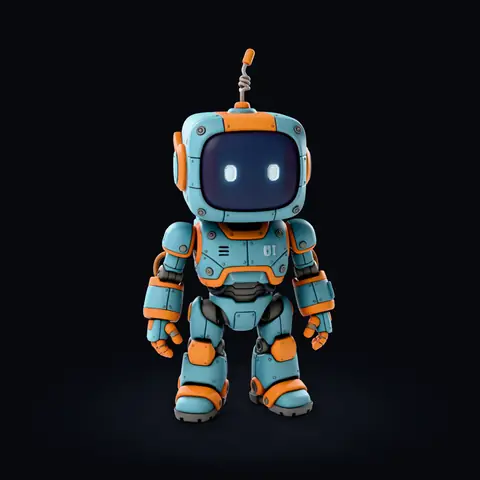
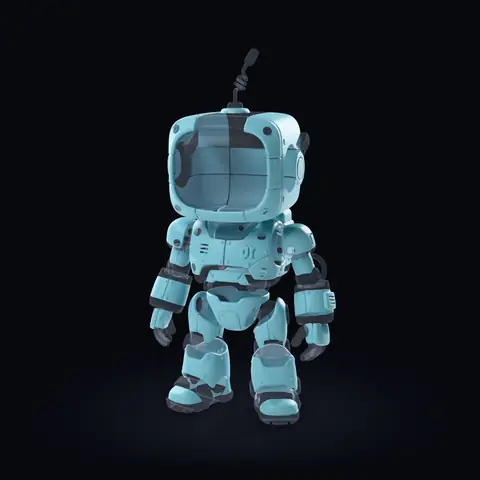
The robot's multi-colour 3MF turned 45 degrees, rendered as matte PLA: teal body, orange trim and dark grey joints

Figures and toys in their own colours

Print a character, a mascot or a toy figure in its colours straight off the plate, with no painting: every colour area of the texture becomes one filament slot of your AMS.

A render of the robot's 3MF on this page, turned 45 degrees, as matte PLA.

One AMS or two

Choose 4 colours for one AMS or 8 for two. Fewer colours mean fewer filament changes and less purge; more keep small details such as eyes in a colour of their own.

Colour versions of one model

Try a theme such as Warm, Pastel, Mono or Night, or give any slot another filament, and download each version as its own 3MF. Recolouring is free.

Best on clear colour areas

Stylised figures, toys and mascots with flat areas of colour print cleanest. Soft gradients and photo-real skin break into bands of the nearest filaments.

FAQ

Frequently asked questions

What is a multi-colour 3MF?

A 3MF is a project file for 3D printing. In a multi-colour 3MF every triangle of the model carries the filament it is printed with, and the file lists the filament colours. Bambu Studio and OrcaSlicer read that paint, so a printer with an AMS or another filament changer prints all the colours in one job.

Is the multi-colour 3MF free?

Yes. Generate Multi-Color costs no credits and runs on your own device, and recolouring, merging, brushing and downloading the 3MF are free too. You need a Printara account and a textured model; generating that model uses credits, and the Studio shows the cost before you press. See the AI 3D Generator.

How long does it take?

Usually under a minute. The colour engine runs in your browser, so the time depends on the number of triangles and on your computer. For the robot on this page, 1,420,394 triangles at 6 colours and Ultra detail, the engine took 32 seconds on a desktop PC.

How many filament colours can I use?

From 1 to 16. One AMS holds 4 spools, so the colour slider marks 4 for one unit and 8 for two. Every extra colour adds filament changes and purge waste, while more colours keep small details such as eyes in a colour of their own. The robot on this page uses 6.

What do Standard, Fine and Ultra change?

The smallest colour area the engine keeps on the print: 1 mm² for Standard, 0.75 mm² for Fine and 0.6 mm² for Ultra, at the size you export. A smaller spot joins the colour around it. Fine is the default; the robot on this page uses Ultra.

What is Clean print?

The default print style: one flat colour per material, so light and shadow painted into the texture do not become extra colours and the print needs fewer filament changes. Detailed, under Advanced, keeps light and shadow as extra colours.

Which models work best?

Models with clear areas of flat colour, such as stylised figures, toys and mascots. Clean print gives each material one colour, so soft gradients and photo-real skin break into bands of the nearest filaments, and a spot smaller than the smallest area of your Detail level joins the colour around it. Check thin rims and small details such as eyes in the painted preview before you download.

Can I change the colours before I download?

Yes. In the painted preview you can give any slot a PLA Basic, PLA Matte or custom colour, try a theme such as Pastel or Mono, snap all colours to the nearest PLA filament, merge two colours into one slot, or paint stray spots with the brush. Your edits go into the 3MF.

Which slicers open the file?

Bambu Studio and OrcaSlicer. The file is a Bambu Studio 3MF project with one object, the paint of every triangle and your filament colours as PLA. After you open it, map each filament to a slot of your AMS and check the painted preview before you slice.

Do I need an AMS?

To print the colours in one job you need an AMS or another filament changer. Without one, export the model as an STL from the same Export tab and print it in one colour.

How do I get a textured 3D model?

Generate one in Printara with Textures switched on: from a photo or an image, from several views of an object or from a sentence, in Standard 2K, Detailed 4K or Extreme 8K. A grey model can get its colour in the Texture tab. The AI 3D Generator page shows that step.
Make your first multi-colour 3MF.

Generate a textured model from a photo, an image or a sentence, then paint it into filament colours for your AMS in the Export tab.

Generate Multi-Color is free. Making a textured model uses credits, and you see the cost before you press.

Printara is an AI-powered creative manufacturing platform for creating 3D models, dioramas, laser-cut designs, molds and printable products.