Give Printara a master model as an STL and it designs a 3D printable mold around it, checks the pour for trapped air and hands you the print files.
Loading the film
Silicone poured
Drag to move through the filmSwipe through the film
Open Mold MakerPlays the casting film from the chapter shown, or pauses it.
Free account. A mold built on your own computer is free; a build on our server shows its credits before it starts.
STL master in
8 mold types
Free on your computer
ZIP of STL parts
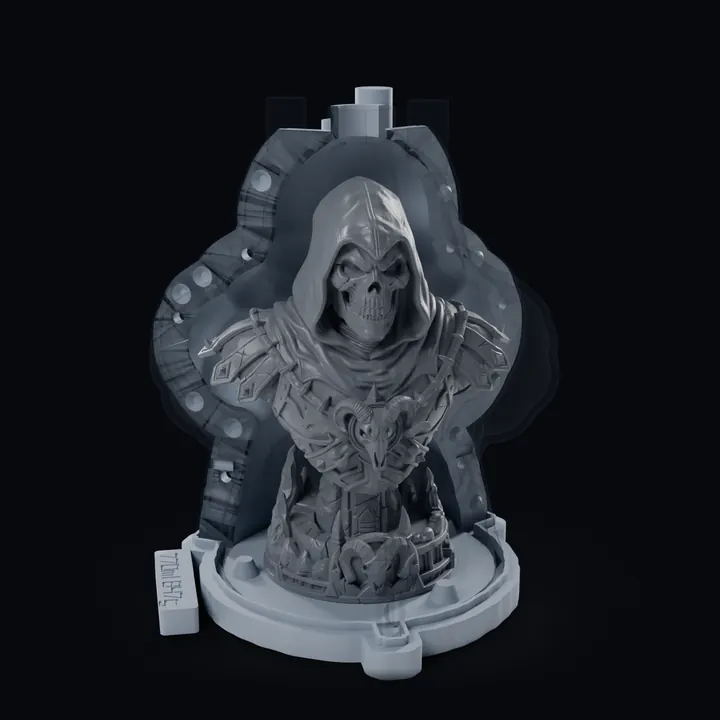
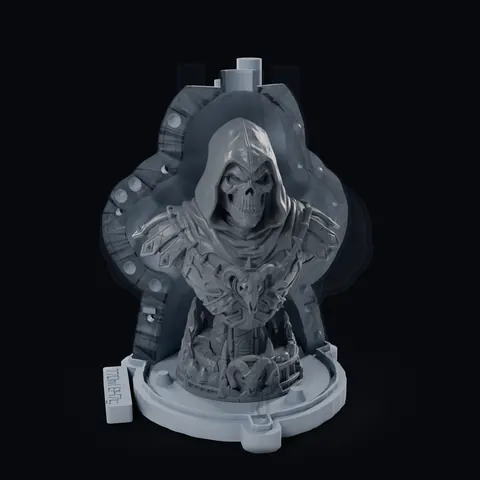
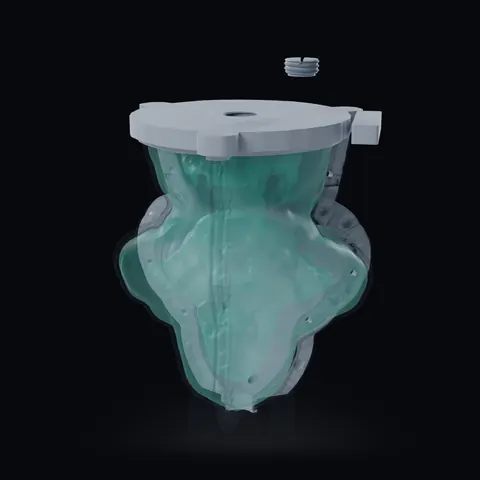
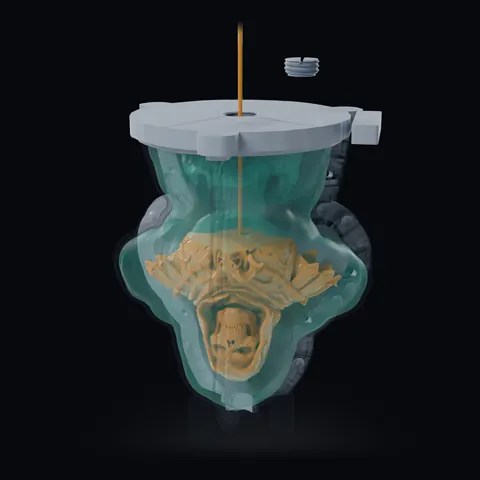
A real mold from a Printara Library: an adaptive shell with a fill port in its base, 5 printed parts, built on 20.9.2026. The film is rendered from its own print files; the front wedges are drawn see-through and the bolts and clips are not shown.
From a printed shell to a cast
01Master in the printed shellShellPlug in from below, 3 wedges closed
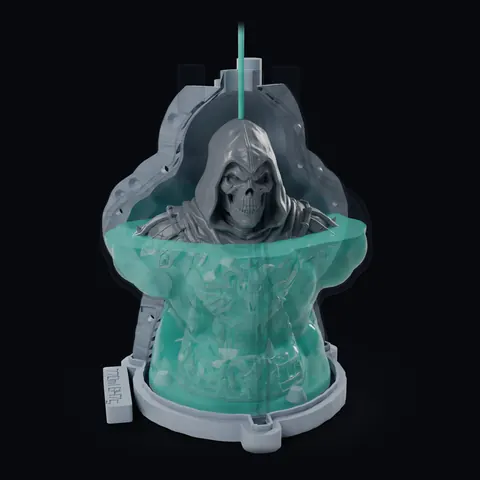
02Silicone pouredSilicone770 ml through the spout, then cured
03Master outOpenWedges off, master out through the foot
04Mold turned overTurnFill port on top, plug out
05Resin through the baseResin299 ml into the port under the sole
06Cast pulled outCast149.7 mm, its detail from the master
A real mold from a Printara Library: an adaptive shell with a fill port in its base, 5 printed parts, built on 20.9.2026. The film is rendered from its own print files; the front wedges are drawn see-through and the bolts and clips are not shown.
The film shows one real adaptive shell mold from start to finish. The fill-port plug screws into the base plate from below and the master stands on its seat; three printed wedges close round it. 770 ml of silicone goes in through the spout until it shows in the telltale riser, and cures. The wedges come off, the silicone jacket lifts off the plate and the master comes out through the foot. Jacket and wedges go back on, the whole mold is turned over and the plug unscrews from the fill port, now on top. 299 ml of polyurethane resin goes into the port under the model's sole; it fills head first and the air leaves through the same hole. After the cure the mold is turned back, opened, and the cast stands on the plate: 149.7 mm tall.
01 Master in the printed shell: The fill-port plug screws into the base plate from underneath, 2.76 turns. The master goes on its 0.3 mm seat, then the 3 printed wedges close round it (bolts and clips are not shown).
02 Silicone poured: 770 ml of silicone through the spout until it shows in the telltale riser. The level follows the build's own fill curve: slow in the wide body, fast up the neck.
03 Master out: After the cure the wedges come off sideways, the silicone jacket lifts off the plate and the master comes out through the foot.
04 Mold turned over: Jacket back on the plate, wedges back on, the whole mold turned over. The plug unscrews from the fill port, which is now on top.
05 Resin through the base: 299 ml of polyurethane resin into the port under the model's sole. It fills head first, the air leaves through the same hole, and the plug goes back in.
06 Cast pulled out: Full cure, turned back, wedges off, jacket off: the cast stands on the plate, 149.7 mm tall.
Eight mold types
What you can create
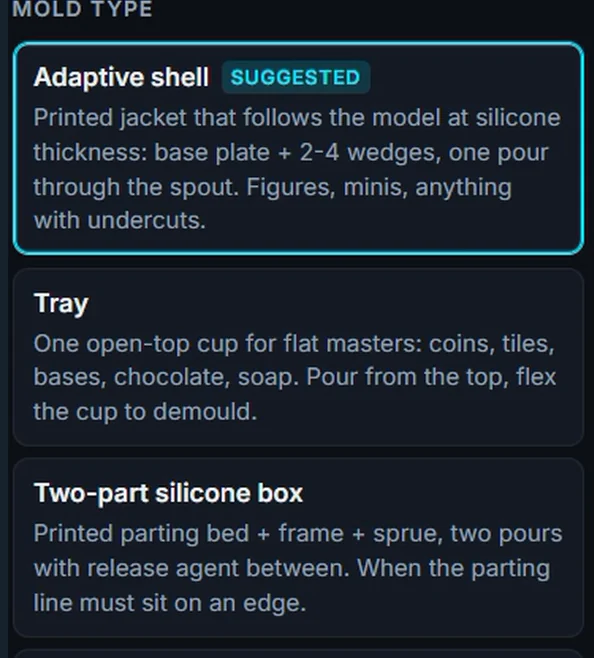
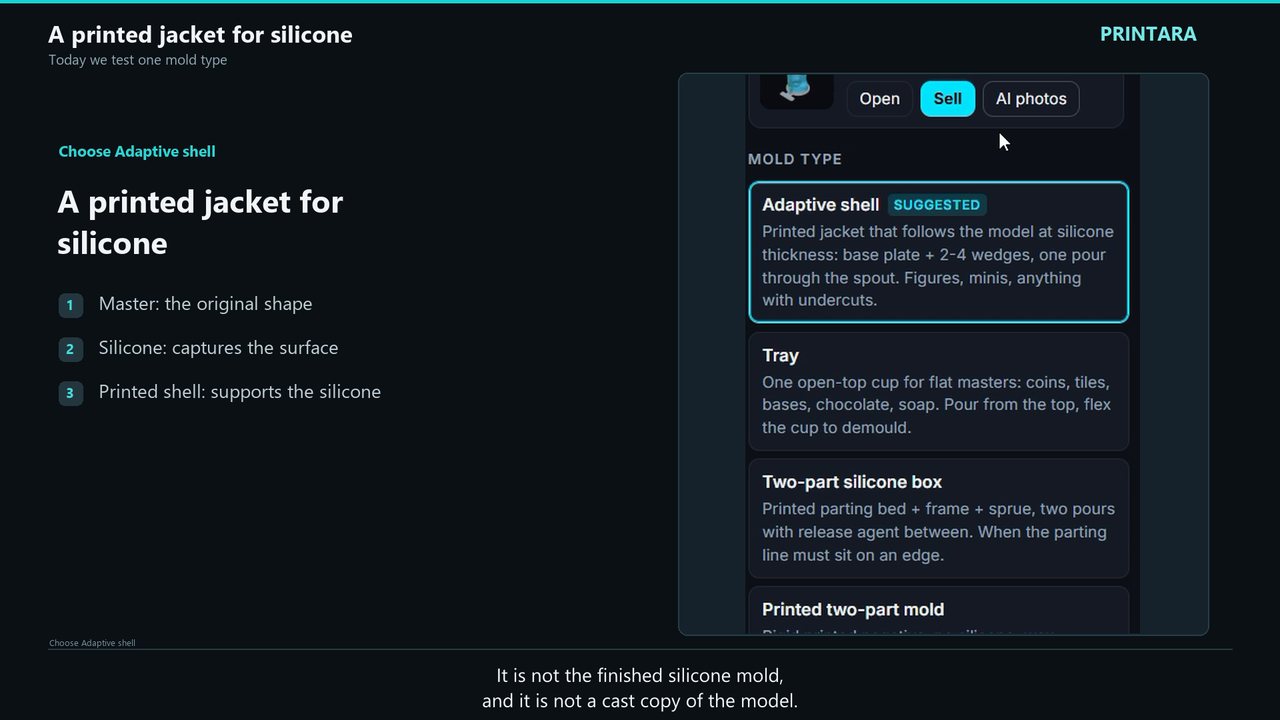
Each type is a different way to reproduce a master. Mold Maker suggests one when you open a model; every type builds free on your own computer, and the price below is for a build on our server.
Free on your computer30 credits on our server
Adaptive silicone shell
A printed jacket that follows the model at silicone thickness: a base plate and 2 to 4 wedges, one pour through the spout, and an optional fill port in the base.
For
Figures, busts and minis with undercuts
You pour
Silicone
Free on your computer20 credits on our server
Tray
One open-top cup for flat masters, with up to 36 cavities in one cup when you want several copies from one pour.
For
Coins, tiles, bases, chocolates, soap bars
You pour
Silicone
Free on your computer30 credits on our server
Two-part silicone box
A printed parting bed, frame and sprue for two pours with release agent between them.
For
Masters whose parting line has to sit on an edge
You pour
Silicone, in two pours
Free on your computer30 credits on our server
Printed two-part mold
A rigid printed negative with no silicone, with 2 degrees of draft by default so the cast lets go.
For
Masters with almost no undercuts
You pour
Wax, plaster or resin, not food-safe as printed
Free on your computer20 credits on our server
Open box
A box or cylinder around the master: a base plate and two wall halves that key together, held by a rubber band in its own channel.
For
Drop the master in and pour
You pour
Silicone
Free on your computer20 credits on our server
One-piece cut mold
The open box poured as one silicone block, with molded guide grooves that show where to cut it open after the cure.
For
Figures and minis, the hobby standard
You pour
Silicone, as one block
Free on your computer10 credits on our server
Press mold or stamp
One printed tool you press into the material, as a shallow stamp of the design or at the model's full depth.
For
Stamps, tiles and pressed shapes
You press
Clay, dough, soap or leather
Free on your computer30 credits on our server
Vessel with an inner core
Vases, planters, cups and candle holders cast hollow: the silicone held in the printed shell forms the outside and a printed core forms the inside.
For
Hollow vessels with a wall you choose
You pour
Silicone for the outside, then concrete, plaster, resin, wax or soap
The diagrams show how each type works, not a particular build. The prices are what Mold Maker charges for a build on our server; a build on your own computer costs nothing.
How it works
How the AI mold maker works
Six steps from a master to a mold you can print, shown in the Mold Maker panels of the Printara Academy lesson.
01
Bring a master
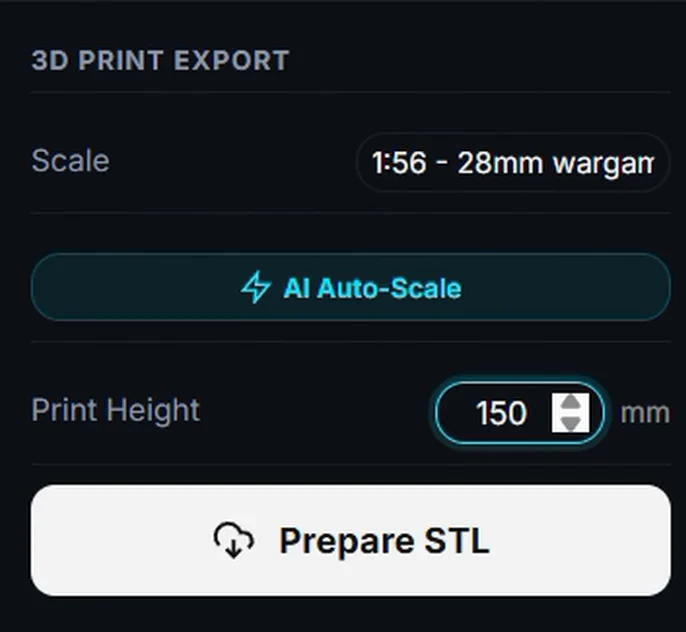
Any STL works as the master: a model from your Library, one exported from Printara at the height you want to cast, or a file from anywhere. The lesson exports its bust as an STL at 150 mm.
02
Pick the mold type
Mold Maker suggests a type when the model loads: a flat master gets the Tray, anything else the Adaptive shell. You can choose any of the eight.
03
Set the options
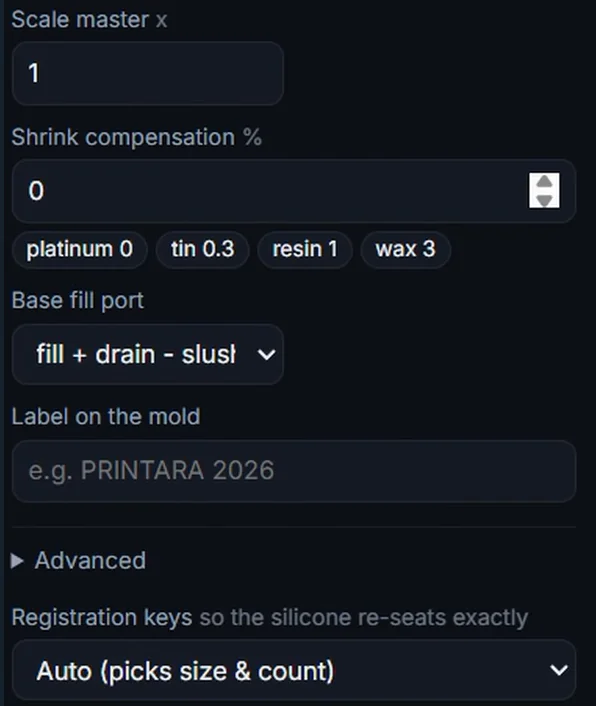
Silicone thickness, shell wall, wedges, how the shell closes, registration keys, vents and shrink compensation. Base fill port adds an opening in the base plate and a plug, to cast through the base or to slush cast.
On your computer
Free
The default whenever your browser can run the engine
On our server
from 10 credits
For a slow device or a model that may not fit in memory
Same engine, same print files
04
Build it, free on your computer
Mold Maker builds on your own computer whenever it can run the engine, and that build is free. For a slow device or a model that may not fit in memory, our server builds it for credits. Same engine both ways.
05
Check the pour
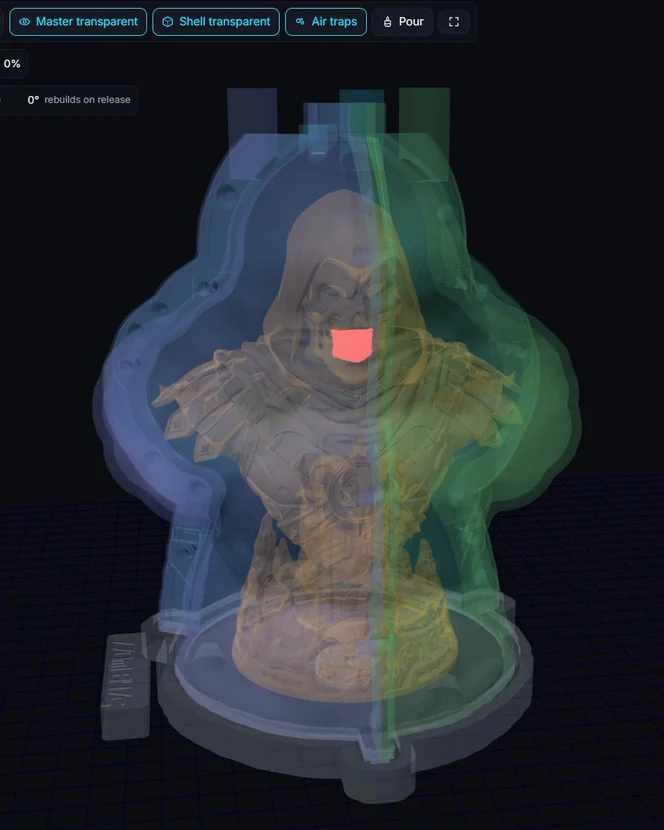
Make the master or the shell transparent, see where air could be trapped, move through the pour level by level and pull the parts apart before you print anything.
06
Download, save or sell
Print files (zip), the report, your master and the hardware to buy. Save to Library keeps the set; with a paid creator plan you can list it in the Molds category of the marketplace.
A build on our server shows its price on the Build button and starts only once you accept it. If it fails, the credits come back. After a paid server build, rebuilding the same STL file as the same mold type within 24 hours is free, up to 3 times. New accounts start with 0 credits.
Real example, made in Printara
A real example
The mold in the film, as its own report describes it. The master is an AI 3D model made in Printara from a picture made in the Printara Image tab; it was exported as an STL at 150 mm and built on our server in 55 seconds on 20.9.2026.
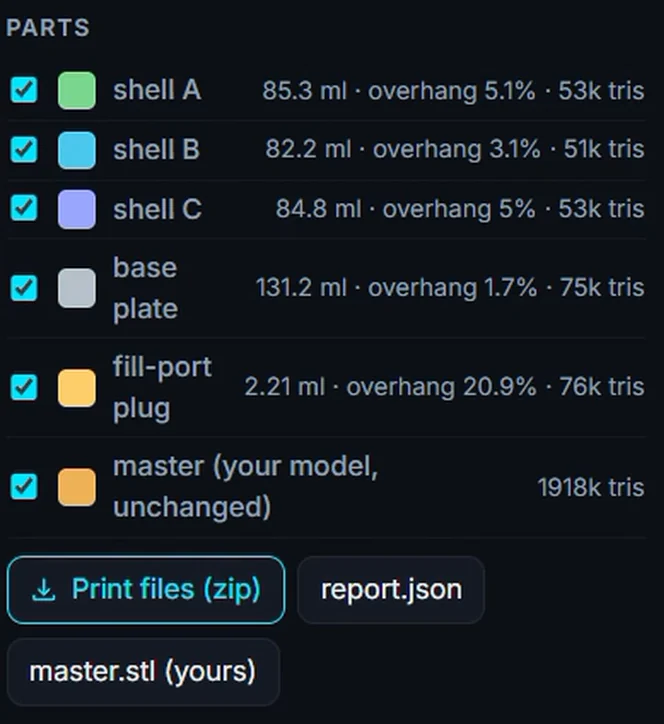
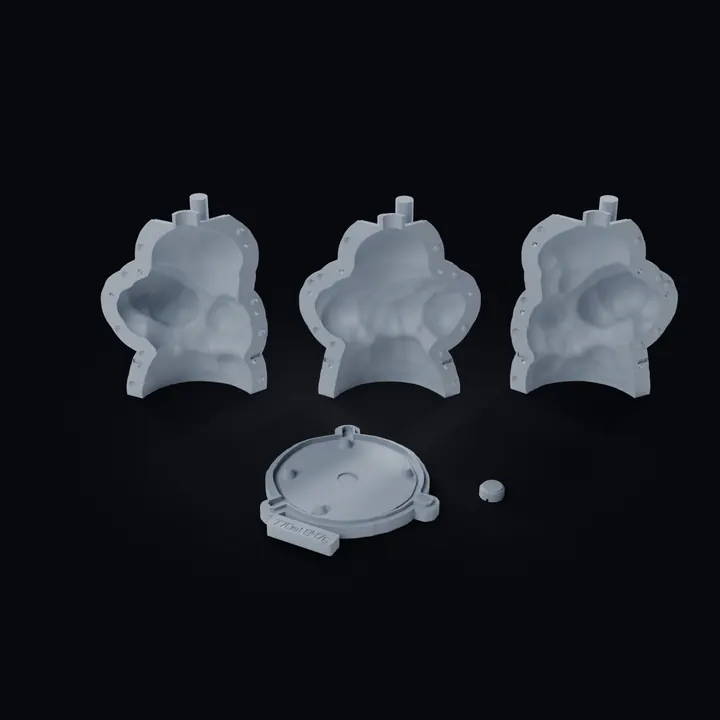
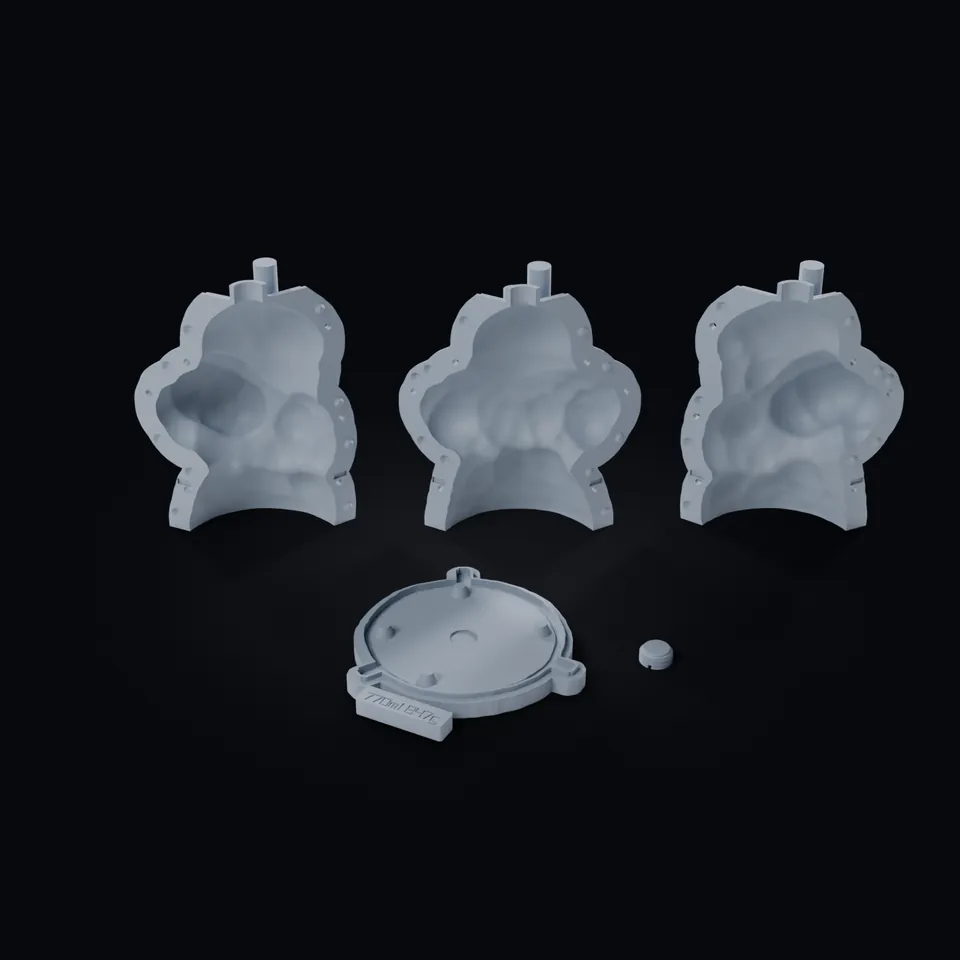
01The 5 print files, laid out as they print
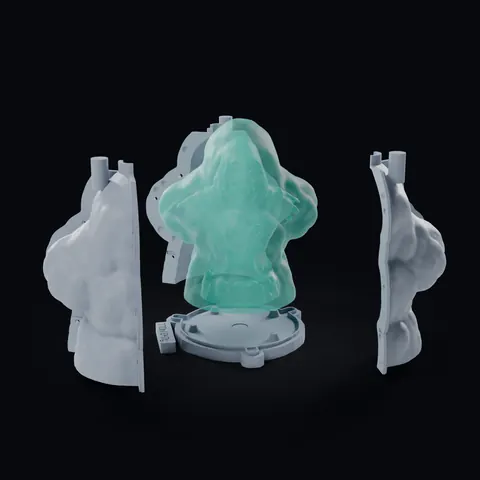
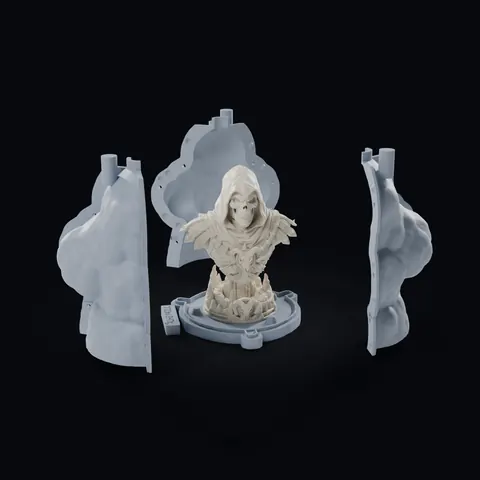
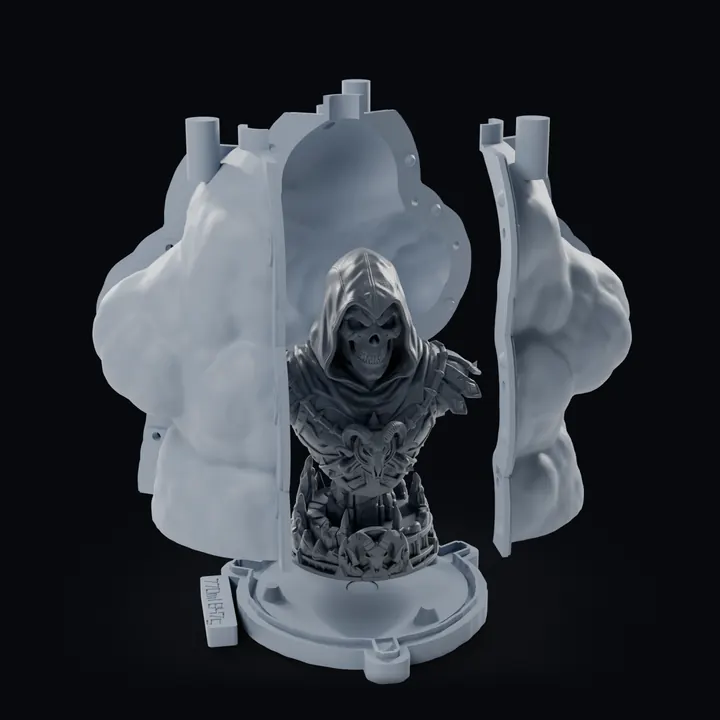
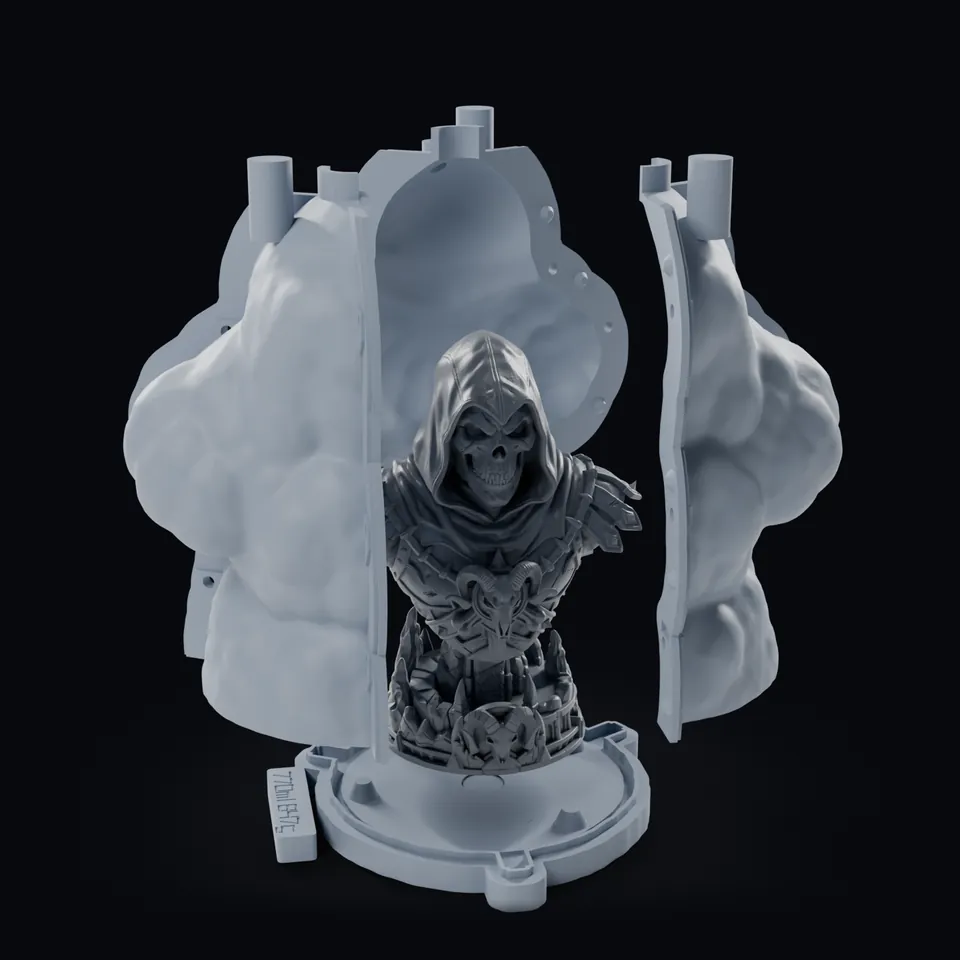
02Pulled apart round the master
The fill port sits in the middle of the base plate, under the model's sole, and closes with a printed plug that screws in from underneath. That is why the resin goes in from the bottom: the mold is turned over, the cast fills head first and the air leaves through the same hole. The same port also takes a slush cast, one coat of 103.8 ml for a 2 mm wall rolled round and drained back out, but the report rates slush on this mold as marginal: 2.81 ml has no way back to the port.
The images are renders of the build's own print files, not photos of a printed mold or a cast.
Adaptive shell, fill port in the base
One mold, file by file
Mold type
Adaptive silicone shell, fill port in the base
Printed parts
3 wedges, base plate, threaded port plug
Silicone
770 ml, about 847 g
Resin for one cast
299 ml
Master
78.5 × 118.0 × 150.0 mm, 1,918,134 triangles, untouched
Mold, closed
126.7 × 153.9 × 179.9 mm
Hardware
9 M4 bolts and nuts, 11 spring clamps or binder clips
Silicone pour
0.99 ml of air can sit under the master: tilt the mold or lay a wire vent to the seam
Resin pour
About 2.7 ml of air the resin can cut off behind lips when you pour from the bottom
Output files and review
Output formats
Every mold comes as one ZIP, with the steps to print, pour and cast it.
3 printed wedgesBase platePort plug
The print files of the mold on this page, already in print orientation. Wedges 85.3, 82.2 and 84.8 ml, base plate 131.2 ml, plug 2.21 ml of filament.
Before you print and pour
Print the parts with the settings in the README: for this shell 0.2 mm layers, 4 perimeters, wedges standing.
Seal the seams and the foot, check the hardware list, pour in a thin stream and watch the spot the report marks.
Cast once and check the result before you print or sell a whole set.
STLOne per printed part, in print orientation, in the print folder
STLThe same parts in the assembled pose, to check the fit
STLYour master, the file you gave, and the master as placed in the mold
JSONreport.json: volumes, parts, air pockets, vents, hardware
TXTREADME: print settings, warnings and the numbered casting steps
STLFor the shell on this page also the silicone volume and the air pocket, each as its own file
In your Library
Save to Library keeps every part file, the ZIP, the master and the settings. The set opens in a 3D viewer with a Separate slider that pulls the parts apart, and from My molds you can reopen it, sell it or make AI photos for a listing.
Project file
Save project writes a .printara-mold file with your model, settings and results, to open again later.
What is not in the ZIP
No 3MF and no slicer project: import the STLs into your slicer and use the print settings from the README. The silicone, the resin and the hardware are up to you.
Platinum silicone and resin-printed masters: the report reminds you that resin can inhibit platinum silicone. Follow the resin and silicone makers' cleaning, post-cure and compatibility instructions and test on a small sample first.
Who it is for
Use cases
What a master and a printable mold are good for.
Resin casters and miniature makers
Copy your own sculpts, busts and minis: the adaptive shell or the one-piece cut mold takes undercuts, the fill port puts the resin in from the bottom, and the report tells you how much silicone and resin to mix.
A render of the mold on this page, pulled apart round its master.
Soap, candles, plaster and concrete
Trays with up to 36 cavities, open boxes, and vessels with an inner core for planters, cups and candle holders cast hollow.
Clay, dough and leather
A press mold or stamp you print and press, as a shallow stamp of the design or at the model's full depth.
Made by hand for you
Rather have the mold made? The Printara Atelier in Prague makes silicone molds and casts in resin and plaster by hand.
A saved mold set can be listed in the Molds category of the Printara marketplace with a paid creator plan, where buyers download the printable parts. Make sure the master is your own design before you sell it.
A tool that designs the mold for you. You give Printara a master as an STL, and Mold Maker builds the parts you print around it: for an adaptive shell a base plate, 2 to 4 wedges and an optional fill-port plug, with a spout, vents and registration keys. The mold is computed by geometry from your master, not drawn by AI; the AI in Printara makes masters, for example a 3D model from a picture, and AI photos for a listing.
Is Mold Maker free?
Building a mold on your own computer is free; a build on our server costs credits, from 10 per mold, and after a paid server build, rebuilding the same STL file as the same mold type within 24 hours is free, up to 3 times. Mold Maker is open to every signed-in Printara account, and the account is free.
What does a build on the server cost?
10 credits for a press mold, 20 for a tray, an open box or a one-piece cut mold, and 30 for an adaptive shell, a two-part silicone box, a printed two-part mold or a vessel with an inner core. The Build button shows the price, and the build starts only once you accept it. If a build fails, the credits come back. New accounts start with 0 credits.
When does it build on my computer, and when on the server?
Mold Maker picks your computer whenever it can run the engine in your browser. It suggests our server only for a slow device (touch only, fewer than 4 processor cores or less than 4 GB of memory) or a model that may not fit in memory, and only if you have the credits. You can always choose. Both use the same engine: in Chrome and Edge the print files come out the same as a server build, in other browsers they can differ very slightly.
Which mold type should I choose?
Figures and minis with undercuts: the adaptive shell or the one-piece cut mold. Flat pieces such as coins, tiles and soap: the tray. Clay, dough or leather: the press mold. Vases and candle holders cast hollow: the vessel with an inner core. Mold Maker suggests the tray for a flat master and the adaptive shell for anything else.
What does pouring the resin from the bottom mean?
An adaptive shell can get a fill port in its base plate, closed by a printed plug that screws in from underneath. Once the silicone has cured you take the master out, close the mold again, turn it over and pour the resin into that port, under the model's sole: the cast fills head first and the air comes back out of the same hole. The same port works for slush casting.
Do I still need silicone?
For the adaptive shell, the open box, the cut mold, the tray, the two-part silicone box and the outside of the vessel with an inner core, yes: the printed parts hold and shape the silicone, and the silicone is the mold you cast in. The printed two-part mold and the press mold are used directly, without silicone.
Does Mold Maker change my model?
A closed master goes in untouched: on this page all 1,918,134 triangles kept their coordinates. A master with holes in its surface is rebuilt on a fine grid so it can be molded, and the report says so; the advanced Simplify master and memory settings can also simplify it. master.stl in the download is always your original file, and your cast takes its detail from your printed master.
Does the master have to be made with AI?
No. Mold Maker works from any STL master: your own sculpt, a scan or a model made in Printara. AI model creation is an optional earlier step, not a requirement or a guarantee that the master is suitable for molding.
How big can my STL be?
On your own computer the limit is its memory, and Mold Maker warns you when a model may not fit. A build on our server takes an STL of up to 100 MB. A mold built on your computer can be saved to your Library up to 95 MB; a bigger result still downloads as files.
Is a printed mold food-safe?
Not as printed. For chocolate or other food, cast a food-grade silicone mold with the printed parts and follow the silicone maker's instructions.
Will my cast be free of bubbles?
The air trap highlight and the pour preview help you spot problems before you print. For the mold on this page the report marks 0.99 ml of air that can sit under the master while the silicone goes in, and about 2.7 ml the resin can cut off behind lips when you pour from the bottom. They are a check, not a guarantee. Degassing, pour speed and vents still decide the result.
Can I sell the molds I make?
Yes. Printara does not claim ownership of what you upload (Terms 6.1); for models made with Printara's AI tools you keep ownership and give Printara a non-exclusive licence to display, reproduce, distribute and market them (Terms 5.2). With a paid creator plan you can list a mold set in the Molds category of the Printara marketplace, where buyers download the printable parts. You are responsible for making sure the master does not copy someone else's characters, trademarks or designs.
Make a mold for your master.
Open an STL, choose the mold type and build it free on your own computer. Print the parts, pour the silicone, cast.